Posts

Pop!Os and Linux Mint Debian Edition vs Nvidia

Image
I have, on and off, tried getting an acceptable Linux distribution on this laptop (Acer Nitro 5, 8th gen i7 and an Nvidia GT1060). While Debian Buster installs and works, I have been tearing my hair out trying to get a 2nd monitor working. I figured a more "user friendly" distro was worth trying to see what would happen. I put it off until today, when Microsoft Word decided to give me some ridiculous "LinkedIn" resume helper while I was updating my resume. I don't recall asking for the LinkedIn resume assistant to be loaded (I gather it's been a thing for a few years) but it set me off. I really don't care for LinkedIn, it's a stupid fantasy world of happiness, people "living their best lives" and has lately descended into Minion memes and flat out garbage The Endless September will never go away apparently. Rant over, onto distro hopping... Laptop setup Once Windows 11 gets ahold of your machine, it gets increasingly hard to do th...

We love Linux...kinda

Image
Microsoft and Nvidia, stuffing it up for everybody I was quite excited when Microsoft decided to support graphical Linux programs on Windows Subsystem for Linux 2, I figured that my laptop was about ready to either be a dual-boot Debian/Windows 10 machine or I was about to ditch Windows altogether. Windows 11 proved somewhat of a reprieve when WSLg was announced, so I duly signed up for the early access Windows program and got WSLg after a short wait. It wasn't worth it. You have been able to display X based Unix programs on Windows for a long time. An excellent product called MobaXterm was something I have been using for a few years, having a headless Linux machine laying around for most of the time. MobaXterm filled the gap in Windows, which was really missing a good SSH client and an easy to manage X server, both of which MobaXterm cover extremely well (even the free version). You might object and yell "Putty" at me, but I always found Putty to be terrible to d...

Tailscale vs SSH tunnels

Image
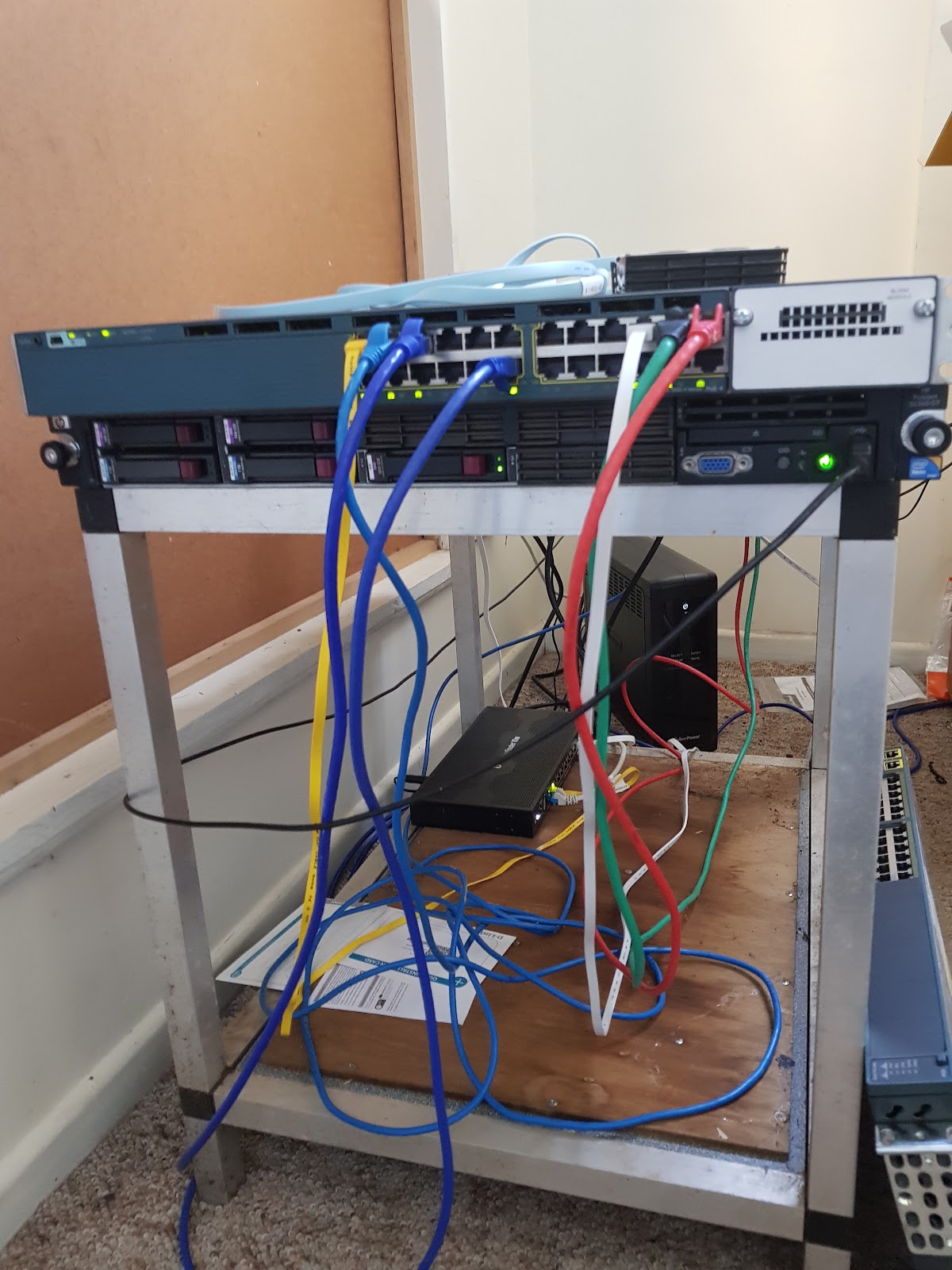
When I first set up the shed network, I was looking forward to having a fixed IP address so that I would at least have the option of not putting everything on AWS. Being able to self-host testing environments isn't critical, but it is a lot more convenient for a small operation like SmartShepherd. I did a post on it a while back but things got wildly out of hand after that. How wildly out of hand? Look at my awesome server rack: Yeah OK, start ragging on me about my selection of patch cables. The awesome Cisco 3560X switch might only be 1Gb, but it supports switchable Power Over Ethernet and cost me a grand total of $160. Beulah, the HP Proliant server underneath is the guts of the test operation. In the background is the Ubiquiti router and a UPS. Security About 40 seconds after setting up the Ubiquiti router on the National Broadband Network (NBN) fibre connection and opening up port 22 to be forwarded to my lab server, it started getting hammered with SSH login attem...

RDP Clients for Debian: an incomplete review

Image
I switched to Debian as the primary operating system on my main development machine, but still have the occasional need to access client servers over RDP or do some minor development on Windows Server / Windows 10. Generally I would run up a virtual machine with the client's access software in it (Forticlient seems to be most popular) but for my own VMs, it's good to have a general purpose RDP client. Microsoft's Remote Desktop Connection The RDP client is available on most Windows installations, although you need to upgrade Windows 10 to "Pro" to get the server part working. Windows 10 is generally a bit underwhelming for a developer if you haven't got a "Pro" license anyway. The Microsoft client has quite a few features hidden away in the "Show Options" choice on the login screen. You can change the display colour depth and size, configure audio passthrough (glitchy, but sometimes useful), intercept windows control keys in full scre...

Windows product stickers as an insight into the past

Image
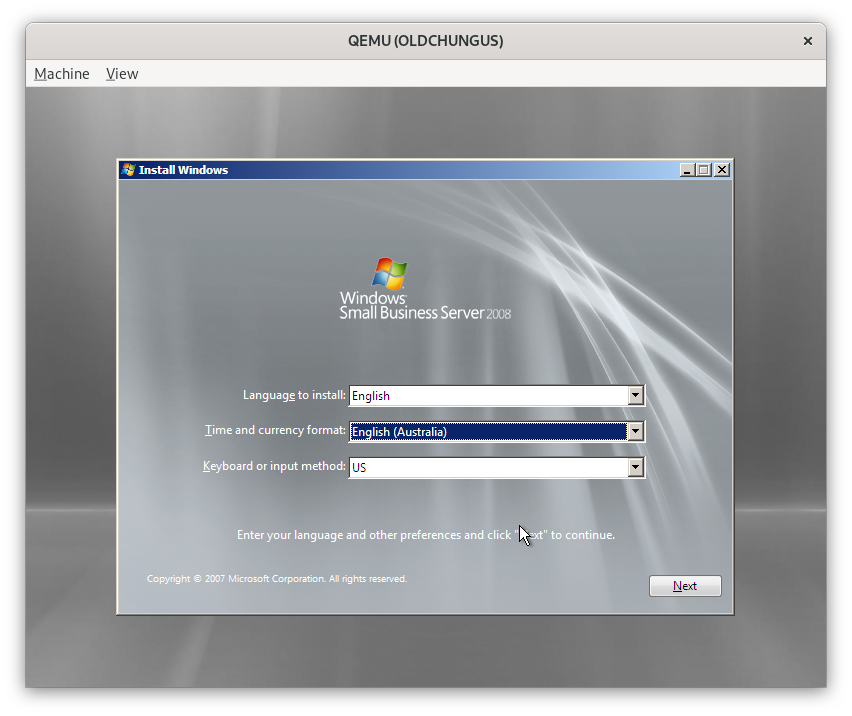
Poor old Chungus the Proliant has lived a long, prosperous life but the entire time it has been in my possession (5 years?) it's never had the original software installed on it. Thanks to a Visual Studio subscription, it ran Windows Server 2016, then 2019 for a while. Windows Server was an OK-ish workstation environment (other than some bluetooth niggles). Then, Docker decided to switch their Docker Desktop product over to WSL2. Since there was no easy way to get WSL2 on Server 2019, I switched it to Debian and moved everything to Docker community edition. However, the product sticker on the top of the machine with a license key for Windows Server 2008 has been taunting me for a while so I decided to do something about it. QEMU slash KVM is the greatest time waster / most wonderful thing I have ever seen. Hyper-V is...OK I guess, but the QEMU setups are almost always noticeably faster than Hyper-V and Windows on the same hardware. Need a specific machine for a client job?...

.NET 6 and AWS: upgrade from .NET Core 3.1

Image
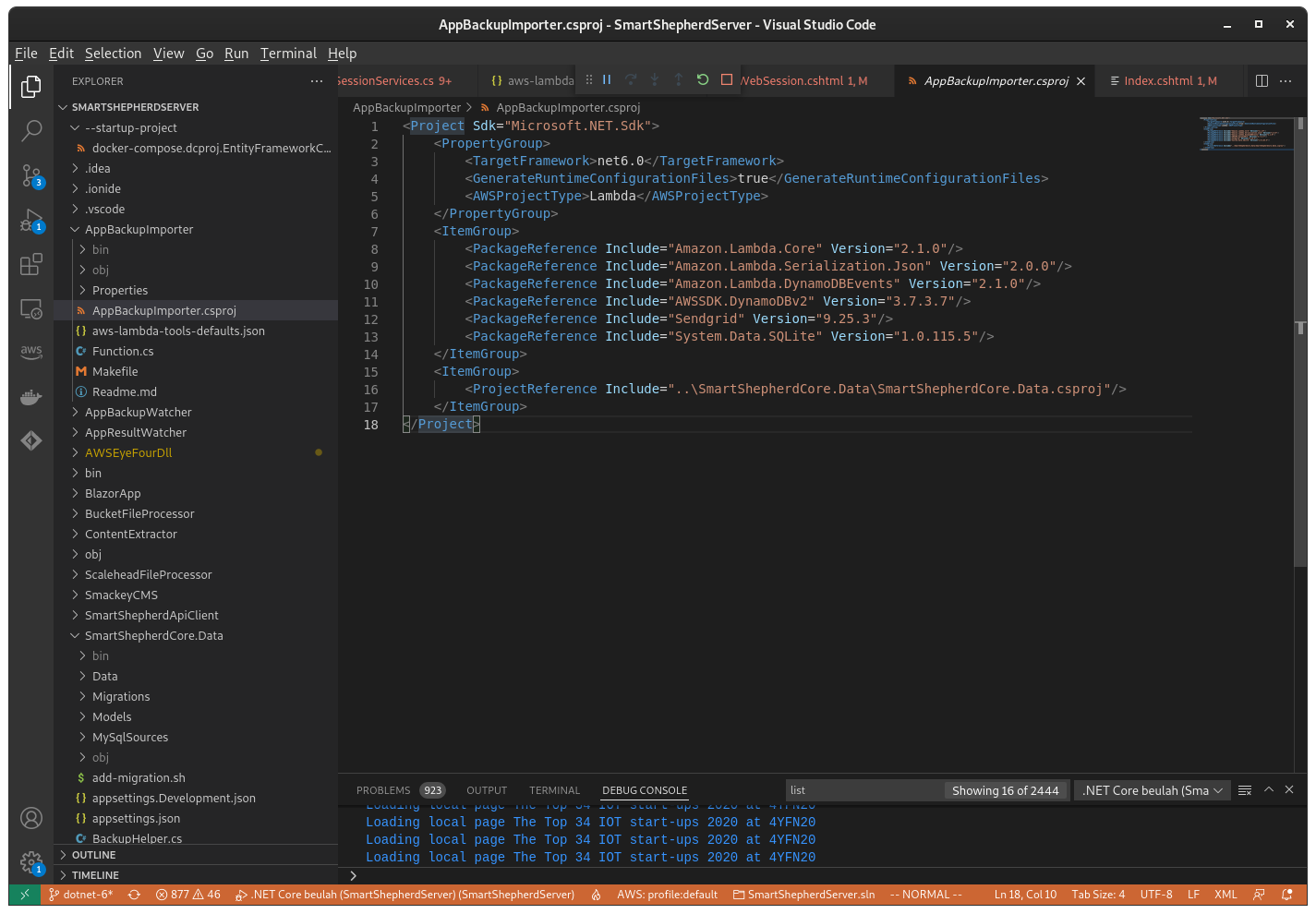
Amazon recently announced that they had support for .NET 6 in their Lambda product , which was all that was holding me back from migrating forward from .NET Core 3.1. The process was fairly simple - there are a few breaking changes in .NET 6 but nowhere near as many as there were moving from .NET core 2 to .NET core 3. Development environment I primarily use Debian Bullseye as my development environment (there must be dozens of us!). I do switch back to Windows 11 occasionally but Debian is far more productive if, like me, you're using Docker containers built using Linux to deploy things like web services. As I'm on Debian, I've ditched Visual Studio altogether and moved to Visual Studio Code for everything. Install .NET 6 Microsoft supply a shell script for installing .NET as an alternative to using a package . I find the shell script much better, even though it's intended for CI/CD environments. installing .NET 6 is as simple as downloading the script, addi...

Python is the best beginner language as of 2022

Image
In short: It's useful commercially once you have learned it. It is easy to get started, no IDE required. It is extremely popular and easy to get help with. Python is useful commercially I was asked this week by somebody keen to begin programming where to start. Python was somewhat of a surprising choice for me since my weapon of choice is generally C#, but there you go. When I went to university in the 1980s, the languages they taught us were mostly "languages for learning" like Pascal. As a commercial proposition, it wasn't until the release of Turbo Pascal that any kind of commercial work appeared but we were learning Pascal on a VAX. While it was OK for teaching the basics of structured programming, it was very poor at preparing us for the meat and potatoes land of C or assembly and didn't have any object orientation. The course did skim over Lisp at one point and we eventually ended up at C in the third year. In defence of the teaching ch...