Posts

The V8 engine: No, not the javascript one (part two)

Image
It's been a while since I felt like writing about anything, which is a shame because I do enjoy writing when I feel in the mood. Mostly this entry is about the long and tortured road to finishing the engine in my Chrysler 300C. A proper post-mortem In the last post, I have a shot of the destroyed piston which was causing most of the problems with the big Hemi. Once the engine was out of the car and on a stand, a mate and I carefully removed the sump to reveal a pile of bits. Two of the other cylinders were also missing parts of their crown but weren't damaged like #6 was. The bits in the sump were largely expected: pieces of piston crown; oil ring pieces; compression ring pieces. Assembled on the bench they look like around enough parts that were missing from #6 piston, but not the pieces that were missing from #4 and #2. Looking carefully at the other pistons, some carried evidence of valve strike. It was also apparent that this engine does not belong with this ca...

The V8 engine: No, not the javascript one (part one)

Image
We live in an age where the internal combustion engine is headed for the scrap heap. Electrification of personal transport makes a lot of sense now. Batteries have improved dramatically in the last 30 years and with them both the performance and useful range of electric cars has begun to equal petrol and diesel motors. The major US manufacturers are planning to end-of-life their iconic engines in performance vehicles with hybrid powerplants. So, at the end of a significant age of transport, I figured it was time to buy a vehicle powered by the king of the hill of automotive engines: the American, thin wall cast overhead valve V8. In my case, a mid-range 2006 Chrysler 300C with the basic 5.7 litre Hemi engine. Some personal history Back when these sort of things mattered in Australia, we were a Chrysler family. My parents had a string of Chryslers before the Australian company was purchased by Mitsubishi: An AP5 station wagon (push-button automatic, slant six engine), a Ch...

Move your AWS Lambda functions inside your VPC

Image
Yeah, so I'm not great at reading documentation I don't think anybody really enjoys reading documentation, most of just want to to "git 'er dun". In that spirit, skipping over paragraphs of florid tech writing and jumping straight to the code snippets is usually enough. Not in this case though TL;DR; Lambdas moved to your VPC must be in a private subnet (i.e. no internet gateway) Lambdas must use a NAT gateway to have internet access Your NAT gateway must be attached to a public subnet i.e. one that has a an internet gateway, not your private subnet where the Lambdas will live Your private subnet must have a default route to the NAT gateway in the public subnet NAT gateways cost money, $40+ / month at the time of writing. Don't forget to fix your security groups and use endpoints if you can for AWS services The overly florid explanation I have been trying for some time to completely nail down public access to my AWS resources but on...

Tailscale ate my network (and I love it)

Image
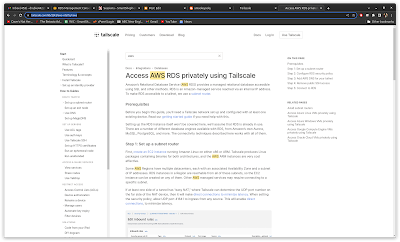
No matter where you go, there you are If you're like me, you travel occasionally. Access to your office from home, or from an airport lounge, or from a hotel room is paramount to being productive for most of us now. While I had a fairly simple Tailscale setup that got me into my test machines in the office, what I really wanted was to integrate my AWS production VPC into that system. It's surprisingly simple. Tailscale AWS instructions What do you want to do that for? In the "before tailscale" times, if I needed to test against the production AWS resources or connect dBeaver for database maintenance, I would edit the security group to add my IP address, do my testing, edit the security group to remove myself. This is as error prone as it sounds. I quite often forgot to remove my IP address from the allowed addresses, a major potential security risk when you are travelling. Tailscale has an extremely nifty way to get around it: if you run up a small ec2 ins...

Pop!Os and Linux Mint Debian Edition vs Nvidia

Image
I have, on and off, tried getting an acceptable Linux distribution on this laptop (Acer Nitro 5, 8th gen i7 and an Nvidia GT1060). While Debian Buster installs and works, I have been tearing my hair out trying to get a 2nd monitor working. I figured a more "user friendly" distro was worth trying to see what would happen. I put it off until today, when Microsoft Word decided to give me some ridiculous "LinkedIn" resume helper while I was updating my resume. I don't recall asking for the LinkedIn resume assistant to be loaded (I gather it's been a thing for a few years) but it set me off. I really don't care for LinkedIn, it's a stupid fantasy world of happiness, people "living their best lives" and has lately descended into Minion memes and flat out garbage The Endless September will never go away apparently. Rant over, onto distro hopping... Laptop setup Once Windows 11 gets ahold of your machine, it gets increasingly hard to do th...

We love Linux...kinda

Image
Microsoft and Nvidia, stuffing it up for everybody I was quite excited when Microsoft decided to support graphical Linux programs on Windows Subsystem for Linux 2, I figured that my laptop was about ready to either be a dual-boot Debian/Windows 10 machine or I was about to ditch Windows altogether. Windows 11 proved somewhat of a reprieve when WSLg was announced, so I duly signed up for the early access Windows program and got WSLg after a short wait. It wasn't worth it. You have been able to display X based Unix programs on Windows for a long time. An excellent product called MobaXterm was something I have been using for a few years, having a headless Linux machine laying around for most of the time. MobaXterm filled the gap in Windows, which was really missing a good SSH client and an easy to manage X server, both of which MobaXterm cover extremely well (even the free version). You might object and yell "Putty" at me, but I always found Putty to be terrible to d...

Tailscale vs SSH tunnels

Image
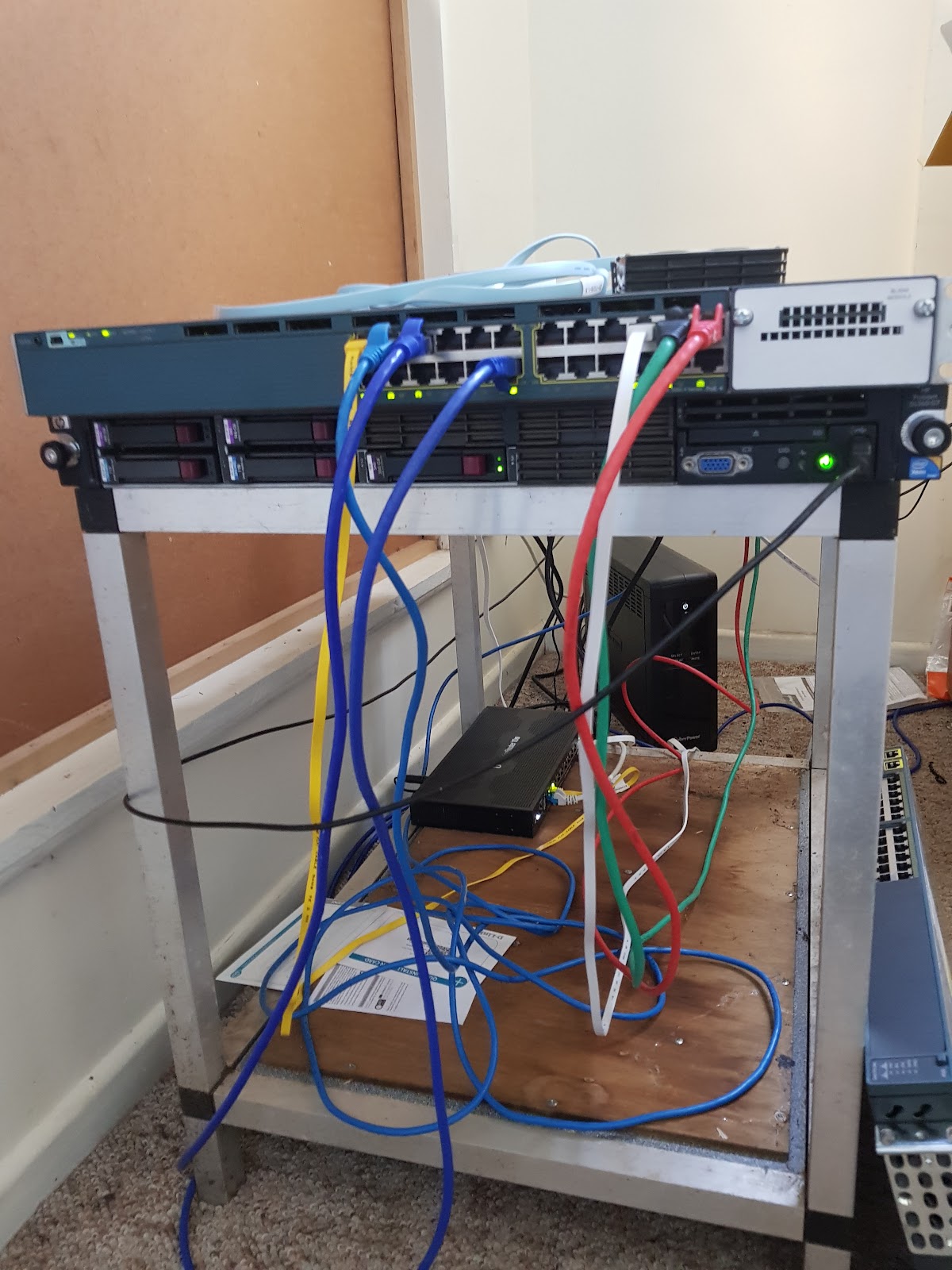
When I first set up the shed network, I was looking forward to having a fixed IP address so that I would at least have the option of not putting everything on AWS. Being able to self-host testing environments isn't critical, but it is a lot more convenient for a small operation like SmartShepherd. I did a post on it a while back but things got wildly out of hand after that. How wildly out of hand? Look at my awesome server rack: Yeah OK, start ragging on me about my selection of patch cables. The awesome Cisco 3560X switch might only be 1Gb, but it supports switchable Power Over Ethernet and cost me a grand total of $160. Beulah, the HP Proliant server underneath is the guts of the test operation. In the background is the Ubiquiti router and a UPS. Security About 40 seconds after setting up the Ubiquiti router on the National Broadband Network (NBN) fibre connection and opening up port 22 to be forwarded to my lab server, it started getting hammered with SSH login attem...

RDP Clients for Debian: an incomplete review

Image
I switched to Debian as the primary operating system on my main development machine, but still have the occasional need to access client servers over RDP or do some minor development on Windows Server / Windows 10. Generally I would run up a virtual machine with the client's access software in it (Forticlient seems to be most popular) but for my own VMs, it's good to have a general purpose RDP client. Microsoft's Remote Desktop Connection The RDP client is available on most Windows installations, although you need to upgrade Windows 10 to "Pro" to get the server part working. Windows 10 is generally a bit underwhelming for a developer if you haven't got a "Pro" license anyway. The Microsoft client has quite a few features hidden away in the "Show Options" choice on the login screen. You can change the display colour depth and size, configure audio passthrough (glitchy, but sometimes useful), intercept windows control keys in full scre...

Windows product stickers as an insight into the past

Image
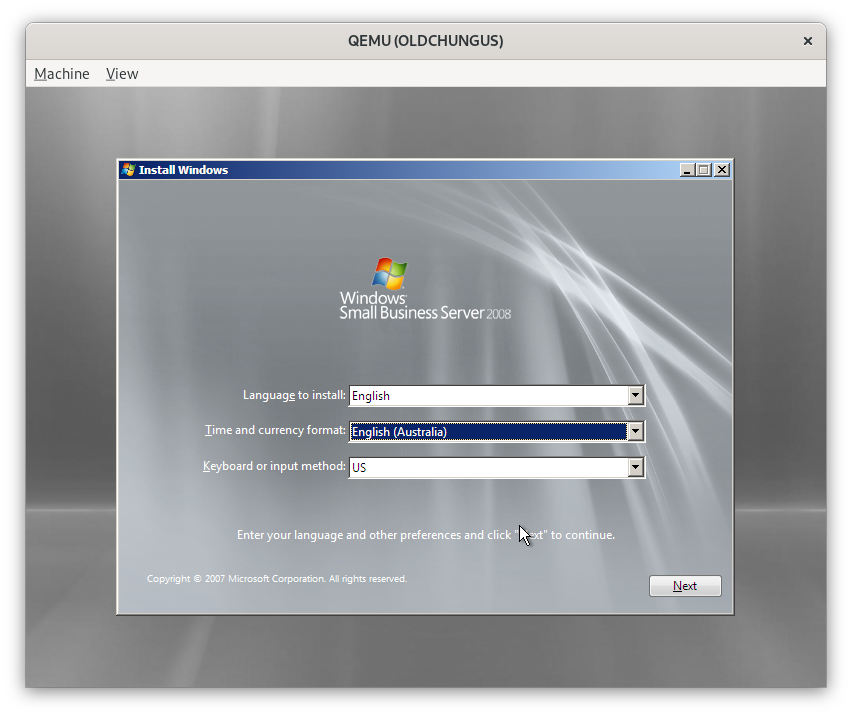
Poor old Chungus the Proliant has lived a long, prosperous life but the entire time it has been in my possession (5 years?) it's never had the original software installed on it. Thanks to a Visual Studio subscription, it ran Windows Server 2016, then 2019 for a while. Windows Server was an OK-ish workstation environment (other than some bluetooth niggles). Then, Docker decided to switch their Docker Desktop product over to WSL2. Since there was no easy way to get WSL2 on Server 2019, I switched it to Debian and moved everything to Docker community edition. However, the product sticker on the top of the machine with a license key for Windows Server 2008 has been taunting me for a while so I decided to do something about it. QEMU slash KVM is the greatest time waster / most wonderful thing I have ever seen. Hyper-V is...OK I guess, but the QEMU setups are almost always noticeably faster than Hyper-V and Windows on the same hardware. Need a specific machine for a client job?...

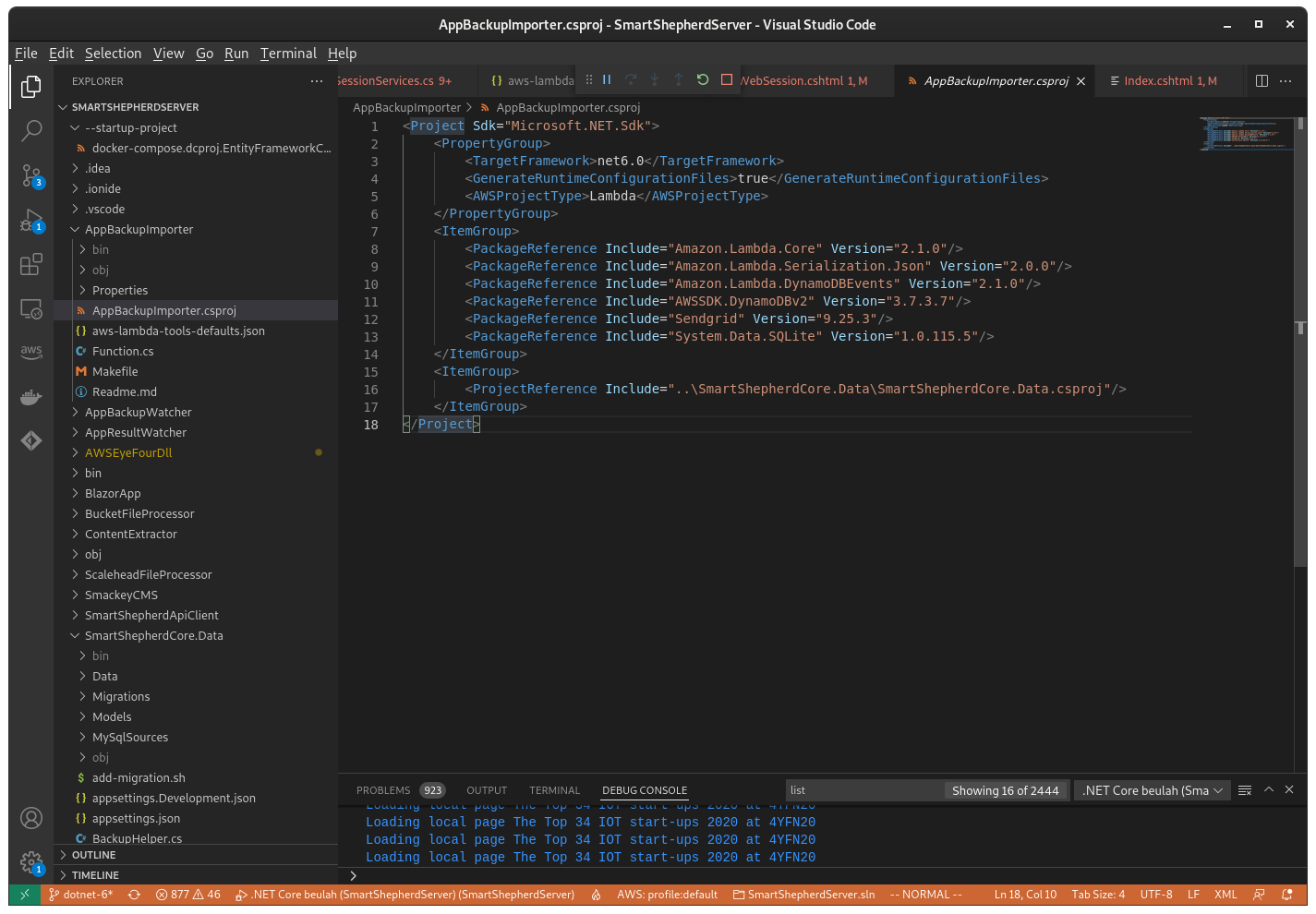
.NET 6 and AWS: upgrade from .NET Core 3.1

Image
Amazon recently announced that they had support for .NET 6 in their Lambda product , which was all that was holding me back from migrating forward from .NET Core 3.1. The process was fairly simple - there are a few breaking changes in .NET 6 but nowhere near as many as there were moving from .NET core 2 to .NET core 3. Development environment I primarily use Debian Bullseye as my development environment (there must be dozens of us!). I do switch back to Windows 11 occasionally but Debian is far more productive if, like me, you're using Docker containers built using Linux to deploy things like web services. As I'm on Debian, I've ditched Visual Studio altogether and moved to Visual Studio Code for everything. Install .NET 6 Microsoft supply a shell script for installing .NET as an alternative to using a package . I find the shell script much better, even though it's intended for CI/CD environments. installing .NET 6 is as simple as downloading the script, addi...

Python is the best beginner language as of 2022

Image
In short: It's useful commercially once you have learned it. It is easy to get started, no IDE required. It is extremely popular and easy to get help with. Python is useful commercially I was asked this week by somebody keen to begin programming where to start. Python was somewhat of a surprising choice for me since my weapon of choice is generally C#, but there you go. When I went to university in the 1980s, the languages they taught us were mostly "languages for learning" like Pascal. As a commercial proposition, it wasn't until the release of Turbo Pascal that any kind of commercial work appeared but we were learning Pascal on a VAX. While it was OK for teaching the basics of structured programming, it was very poor at preparing us for the meat and potatoes land of C or assembly and didn't have any object orientation. The course did skim over Lisp at one point and we eventually ended up at C in the third year. In defence of the teaching ch...

QEMU usb passthrough and the CC2540 BLE packet sniffer

Image
I have one piece of hardware that has stubbornly resisted the permanent move to Debian in my office, an old Texas Instruments CC2540 USB dongle that has Bluetooth Low Energy packet sniffing firmware installed on it. If you're doing anything out of the ordinary with a BLE device, such as fiddling with the advertisement data or trying to troubleshoot a GATT issue, you will eventually end up with a packet sniffer of some kind. When I originally bought it, the machine I plugged it into was running Windows Server 2016 and it worked fine. However, after I had upgraded that box to Windows Server 2019 the drivers stopped working. I had no further use for it at that stage so I put the CC2540 away. The need for a packet sniffer has returned, hence out it came again. Only now, that machine that was running Windows Server is running Debian and it appears there is no way to directly get something like Wireshark to talk to it. QEMU to the rescue (again) I do keep a Windows 10 virtual mac...

That magical word: Workstation

Image
Or how I came to own a HP 8760w 17" laptop I am reading a lot of retro-computing articles lately, I grew up in the 8 bit era and I have strong nostalgia for it. It does help to be realistic though, for all the love that things like the Amiga get, they were a dead end in terms of computing. What really ate the world was the boring old IBM-PC: flickery, interlaced multi-sync monitors, beige boxes and productivity software. There was another, relatively brief path the industry could have gone down though. The Workstation was king In retrospect, it might be a bit tough to put a circle around what constituted a workstation . Is a PERQ a workstation? Probably. Xerox Alto and Star? Definitely. Symbolics Lisp machines? Not sure. Probably? The real success stories came out of Apollo , Sun, HP,IBM,NeXT,DEC and Silicon Graphics. For a time it was a hot market, especially in what was known then as technical computing: research, manufacturing, CAD, graphics, simulations. If...

3D printing for prototyping: part 3

Image
Success! The trick to having this part not get stuck to the bottom of the resin bath on the AnyCubic was to print it sideways! Not sure I really needed the island on it but it made me feel better. Lychee Slicer doing the job The printed part is functional - kind of. It fits the plastic injected moulded parts, a long way from perfect but certainly good enough to get changes to the CAD roughed out before handing it off to somebody who knows what they are doing. For this part, I ended up washing and drying it a lot more carefully before placing it in UV light to harden the resin up. On the left is the injected moulded part, in the centre is the last failed print, on the right is the working print What needs to change There are 2 o-rings in the current design, one which was placed there originally but doesn't always work, and the other one suggested by a local engineering firm which does work, but the housing isn't really designed to take it. The o-ring needs to be re...

Polidea's RxAndroidBle and why you should use it

Image
Bluetooth on Android: it sucks When we first started working on SmartShepherd, Bluetooth LE seemed like a logical choice for tracking interactions between animals. It's shortcomings were major advantages when you don't need an absolute location: it can't transmit far and it can only transmit limited data in an advertisement. Once it was determined that BLE was going to do what was required for the algorithm I had in mind, the implementation became fairly straightforward Testing is one thing, the real thing is much harder Of course this all fell to pieces as soon as we did our first field test. I had never had any more than 10 or so devices active at once to prove the software did what I wanted, and the Android based app we used to assign devices to animals and to read the data afterwards seemed fairly straightforward in the lab. 10 devices is a lot different to 250 though. At around the 150 mark strange things started to happen with the Android app. It locked up,...